

Sealayer
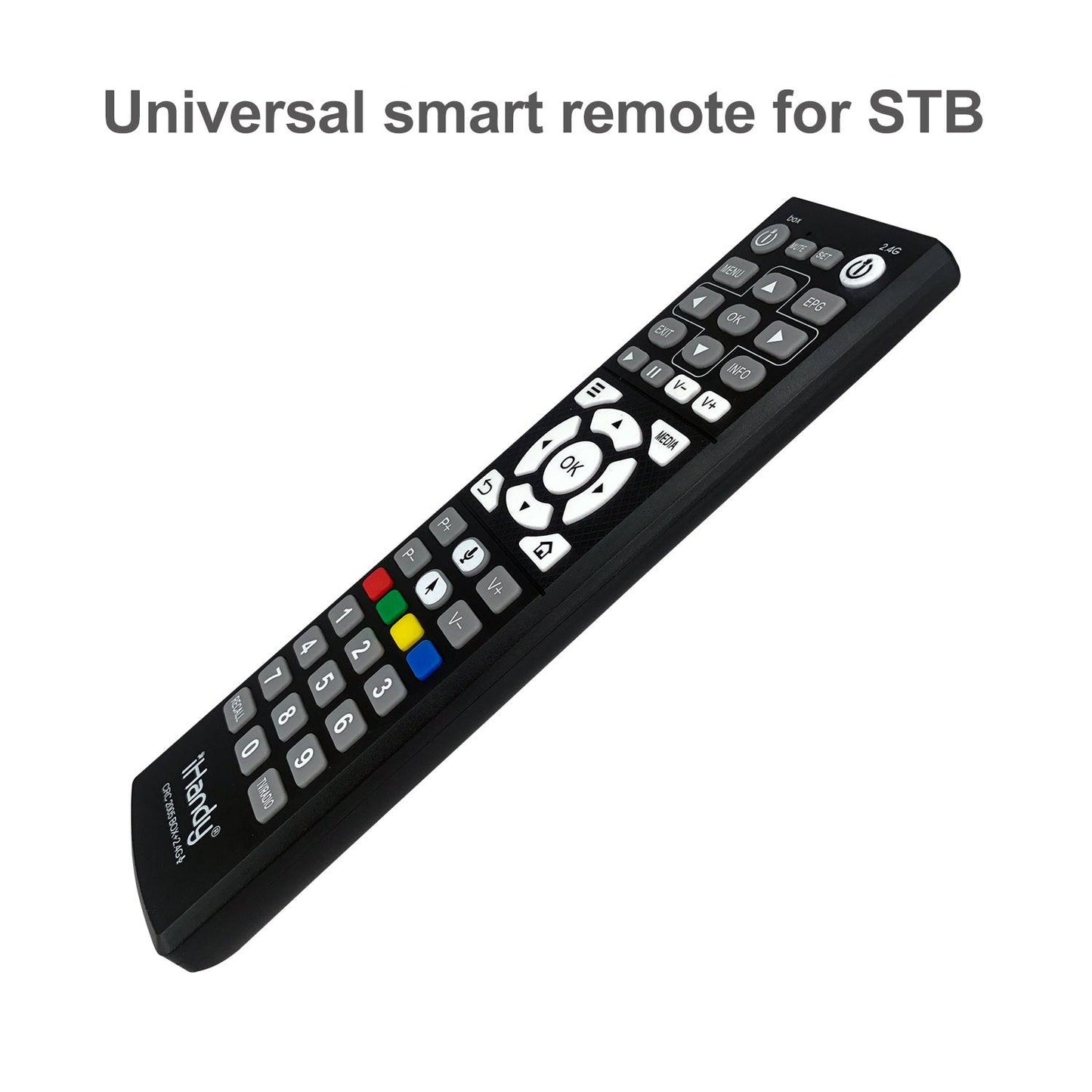
CRC2005 Air Mouse Remote Control for DVB-T2 with IR Learning Function
CRC2005 Air Mouse Remote Control for DVB-T2 with IR Learning Function
Couldn't load pickup availability
- CRC2005 Air Mouse Remote Control for DVB-T2 with IR Learning Function
- Connects via a wireless USB receiver. Please make sure your device has a USB port.
- Supports IR learning function. In other words, it duplicates infrared signal from another IR remote control.
- Widely compatible with all kinds of DVB-T2 players.
- Requires 2 AAA batteries (not included).
Setup Instructions:
For initial use, plug the USB receiver into the USB port of device and wait for 20-60 seconds to install driver of USB receiver.
Move the mouse, the mouse cursor can move on the screen means that pairing is successful.
If it is unsuccessful, press and hold "OK”+ "Back" buttons, LED light begins to flash. Pairing is successful when LED light stops flashing.
IR Learning
12 white buttons is support for IR learning.
(TV POWER、V-、V+、MENU、MEDIA、OK、NAVIGATION、BACK、HOME)
- Press “OK”+”MOUSE” button.
The air mouse enters IR learning mode when the LED light up.
- Press button on air mouse and LED flash slowly.
- Press the original remote button when you aim the IR transmitter with air mouse.
Remote receives the code successfully if LED light up.
- After finished all learning you need, press “MOUSE” button to save and exit learning mode.
Sensor Calibration
The changes of voltage and temperature may make the cursor drifts. In this case, you may calibrate the sensor.
- Hold "OK" button and install battery at the same time.
- Put the mouse flat on the desk.
Recovery default state
Press and hold”OK”+”HOME” at the same time, the air mouse is clear the learned data and recovery to default state.
Code setting
- Press and hold “SET”+BOX”POWER”, the LED light up
- Enter 3-digits code, if successfully, the LED is off. If not, the LED light up.
- Press any buttons on remote to test work normal or not. If not, please set in again.
Auto search
- Press and hold “SET”+BOX”POWER”, the LED light up.
- Press BOX”POWER” to start auto searching. LED flashes synchronously.
- Press “SET” to save code when STB turn off.
- Press any buttons on remote to test work normal or not. If not, please set in again.
Manual search
- Press and hold “SET”+BOX”POWER”, the LED light up.
- Press BOX”V+”or BOX”V-” to move on or back the code.
- Press “SET” to save code when STB appears volume.
- Press any buttons on remote to test work normal or not. If not, please set in again.
Shipping & Returns
Shipping & Returns
Shipping rate is calculated based on your address when you checkout.
Return available within 30 days after receiving the item.
Share